Trade replay
Watching a trade again with your own timeline over it.
Replay controls
Replay opens a synchronized review of one trade: chart, position, your event timeline, and optionally the order book.
The transport controls, on the jog wheel, are:
- Rewind to the start, and fast forward to the end.
- Play and pause.
- Slower and faster, with a reset to normal speed.
- Zoom the visible time window in and out.
- Jump markers for Entry and Exit.
- A toggle for L2 Signals, which opens a floating panel you can drag.
The useful discipline in replay is to stop at your entry, before the outcome is visible, and ask whether you would take it again. Watching the whole trade at speed with the result already known mostly produces hindsight.
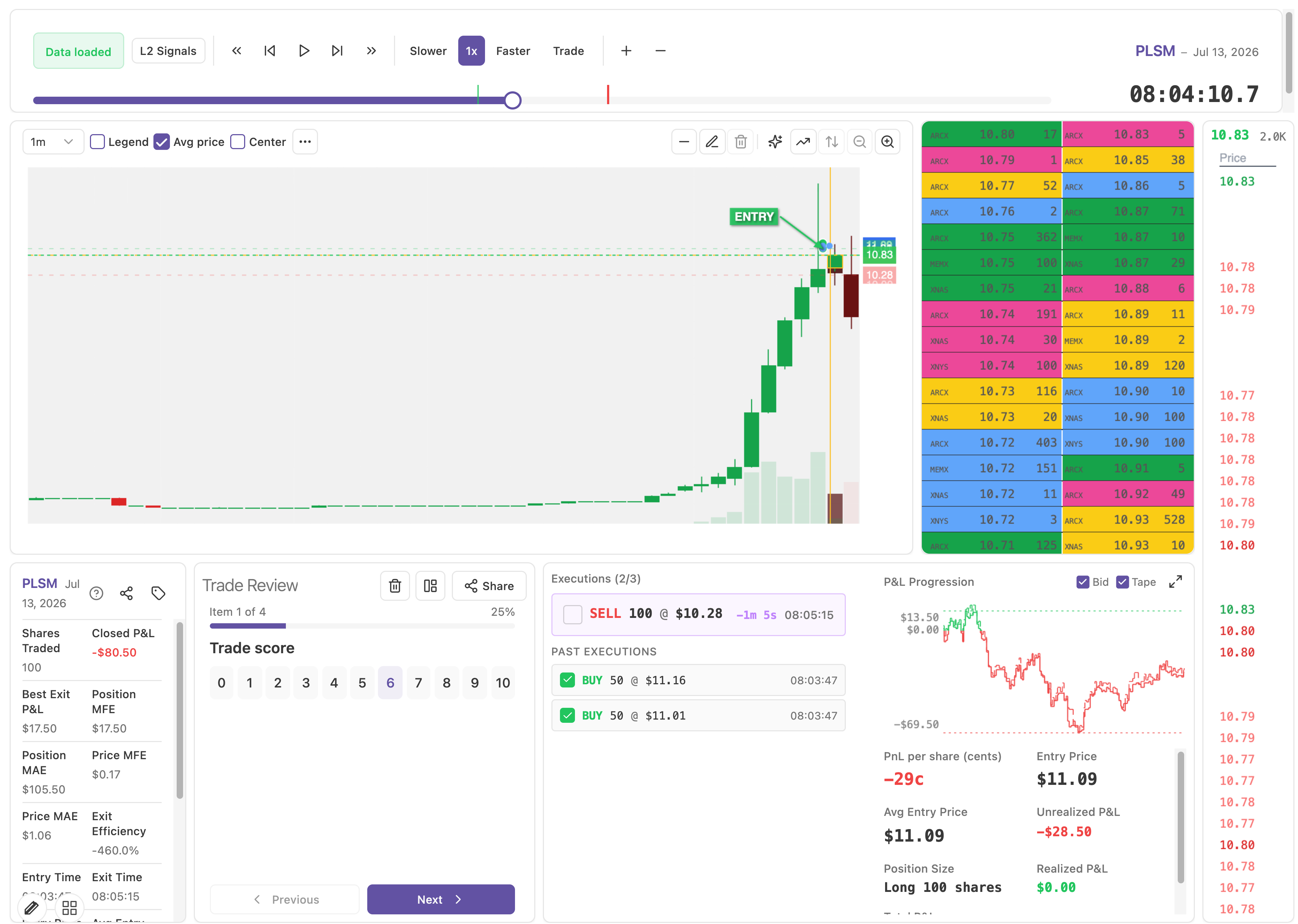
Position monitor
The Position Monitor follows the trade as the replay advances. It shows the executions so far, the profit and loss progression, bid and tape context, your entry and average entry, unrealized, realized, and total result, and the current position size.
What to look for is the excursion: how far the position went against you before it worked, and how far it went for you before you closed. Those two numbers explain most exit problems. A trade that was up two thirds of your target before you took a third of it is not a small winner, it is an exit problem with a positive sign.
Replay timeline
The Replay Timeline places your own events along the same clock as the price: notes, checklist marks, emotion readings, check-in submissions, and focus markers.
This is the payoff for logging in the moment. The timeline lets you see that you moved the emotion slider to Tense four minutes before you added to the position, or that you wrote a note about being unsure and then entered anyway.
A replay with an empty timeline shows you a chart you already saw. A replay with a full timeline shows you a decision. If your timelines are empty, the fix is in Rigor, not here.