Accountability
The pledge, partners, report cycles, and cohort groups.
The pledge
Accountability is optional. It is also the strongest mechanism in the product, for the simple reason that private honesty degrades quietly and public honesty does not.
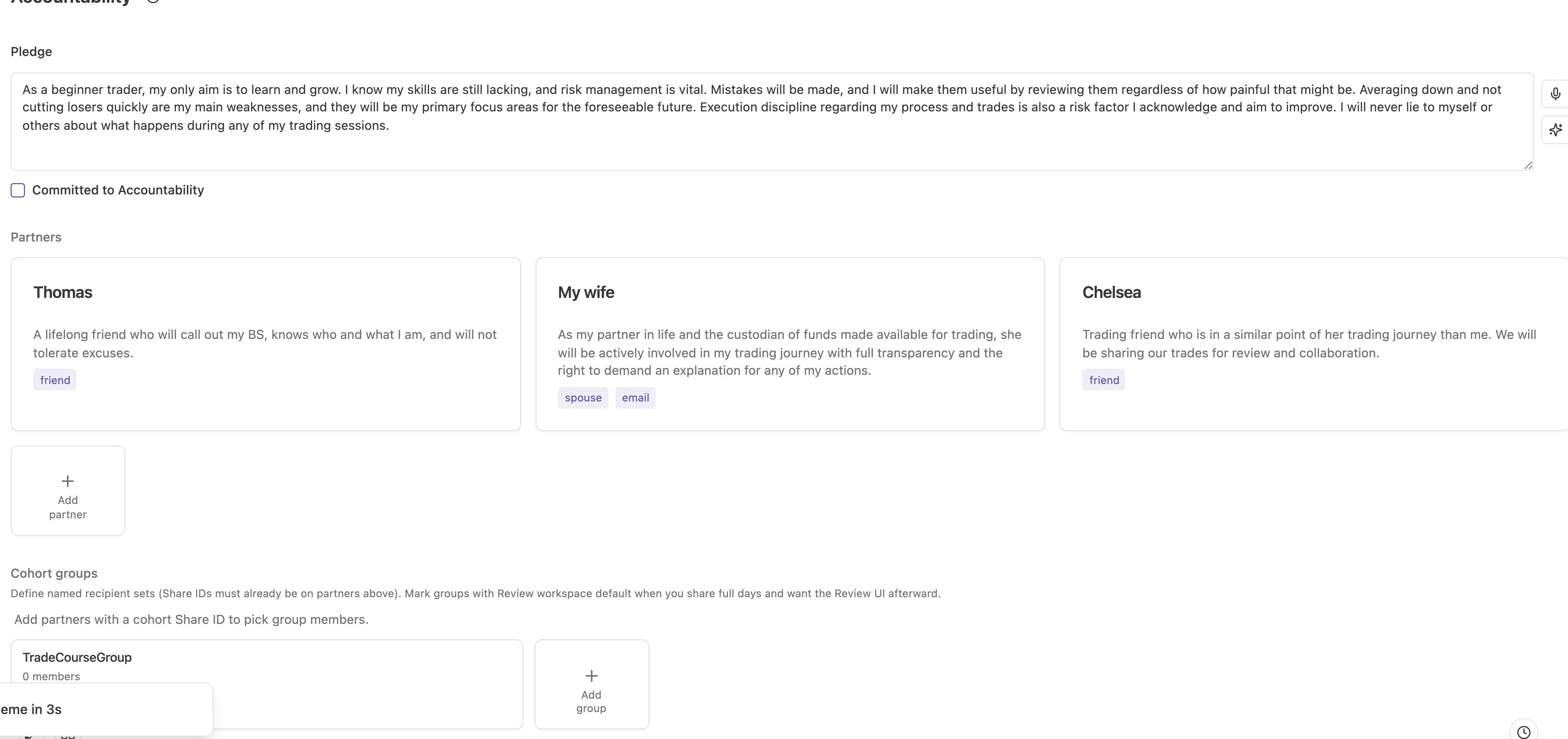
The tab starts with the Pledge: your own statement of what you are committing to and to whom. Mark Committed to Accountability when you mean it, and the date is recorded and shown as Committed on.
Writing a pledge you then ignore is worse than leaving it blank, so treat the switch as real. The date exists precisely so that you can see how long ago you meant it.
Partners
Add accountability partner adds someone who can receive your work. The picker offers Friend, Family member, Trading partner, and Community. Other relationship types exist in the underlying data (spouse, partner, business partner, mentor, public) and some are not selectable in the current release.
Personal partners have:
| Field | Meaning |
|---|---|
| Name | Who they are |
| Description | Their role, and what you want from them |
| Anonymous | Hides your identity in what they receive |
| Share ID | The identifier that routes shared trades and days to them |
| Email and Phone | Contact details for reports |
| Communication method | Email, text, or phone |
| Order | Position in the list |
Group partners, used for community or public exposure, carry a URL instead of personal contact details.
Choose partners who will actually ask. A partner who receives your reports and never mentions them provides the feeling of accountability without the function.
Report cycles
Each personal partner can be put on a reporting cycle so material goes out without you deciding to send it.
- Report cycle: None, Daily, Weekly, or Monthly.
- Report design: which layout to send, chosen from the designs you saved in the Report builder.
The last generated timestamp is kept, so you can see whether the cycle is actually running.
Automatic reports matter because the decision to send is the point of failure. Nobody sends a report voluntarily on the day it would be most useful. Set the cycle while you are calm, and let the bad week go out on schedule.
Design the report for the reader. A partner who does not trade needs the process and discipline sections far more than the equity curve.
Cohort groups
A cohort group is a named bundle of Share IDs from your partner roster. Groups exist so you can share a day with four people in one action rather than four.
Each group has:
- A Group name.
- Its Members, selected from your roster.
- Review workspace default, which marks the group as one whose shares should open the full review workspace rather than a single trade view.
Use Add group to create one and Edit cohort group to change membership. Groups are also editable directly from the share dialog when you are in the middle of sharing.
The review workspace default flag is what makes a group feel like a study group instead of a mailing list: shares from those groups land in a layout built for discussing a whole session, with the daily summary, the check-in, the trade list, and a comment thread.