Check-ins
Reusable question forms, their usage roles, and every question type.
What check-ins are
A check-in is a reusable form of questions. Check-ins are how the product asks you things at the moment when the answer is still true.
They are the counterweight to memory. A note written three hours after a trade is a reconstruction. A check-in answered thirty seconds after you closed the position is evidence.
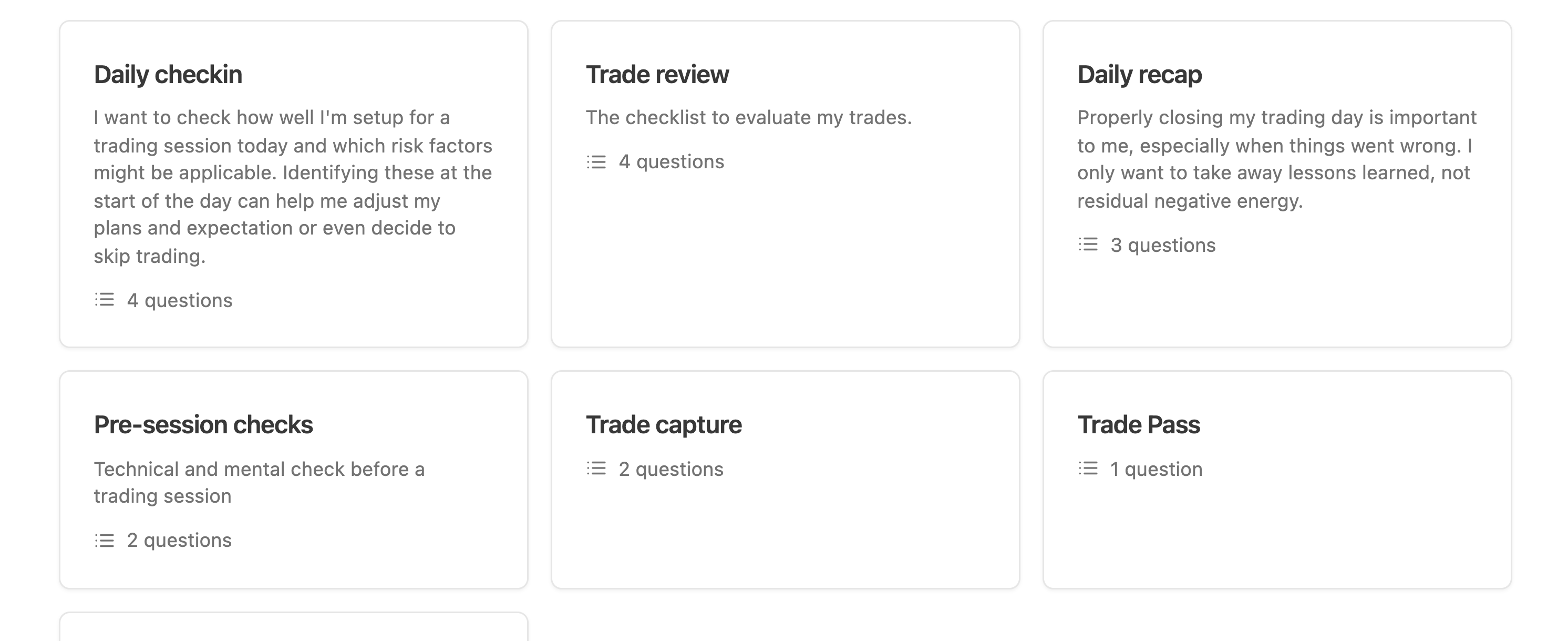
Create one with Create New Checkin, either from a preset or with Create my own checkin. Preset categories cover start of day, during trading, end of day, emotional regulation, and general.
Each check-in has:
- A Name and a Description.
- A Usage role that decides where it appears.
- A Button Label and Button Color when it appears as a button in Rigor. The label defaults to the name, and the color comes from the product palette.
- A list of questions.
Usage roles
Usage is what turns a form into a moment. One check-in has one role.
| Usage | Where it appears | What it is for |
|---|---|---|
| Below checklist | As a button in the Rigor action strip | Session rituals you trigger yourself: readiness, a reset after a loss, a mid-session pause |
| Trade capture | The Rigor button you press right after taking a trade | What you believed at entry, before the outcome contaminates the memory |
| Pass / no-trade | A dedicated Rigor button | Recording a deliberate decision not to trade, and why |
| Trade review | In trade evaluation, replacing the plain comment and score | Structured reflection on a single trade |
| Daily overview | The daily widget in day evaluation | The one form you fill at the end of a session |
Four of these roles are exclusive: only one check-in at a time can be the trade capture, the pass form, the trade review, or the daily overview. Assigning the role elsewhere removes it from the previous holder. Below checklist is not exclusive, so you can have several session buttons.
If a button you expected is missing from Rigor, the usual cause is a check-in with no usage set, or a role that has silently moved to another check-in.
Question types
Add questions with Add Item. Every question has a Label, an optional Description, and Optional (can be skipped).
There are twelve types.
| Type | What it collects | Notes |
|---|---|---|
| Text | One line of text | For short factual answers |
| Textarea | Multiple lines | For reasoning you will read back later |
| Selection | One or several options from a list | You define the options and whether multiple selection is allowed |
| Score | A rating | Choose the shape: 0 to 10, 0 to 100, a five point scale (Bad, Mediocre, OK, Good, Great), binary, or Yes and No |
| Number | A number, or a choice between labelled numbers | You can label the choices instead of showing bare digits |
| Slider | A value on a range | You set the minimum, the maximum, and an optional default |
| Action | A small checklist inside the form | Optionally require every item to be checked before continuing |
| Vow Sayer | Confirmation of your vows | Lists your active vows with checkboxes |
| Description | Nothing | Display only. Use it for instructions or a reminder in the middle of a form |
| Mindfiller | A guided pause | Text, optional audio, timings, a backdrop, and a drone. For deliberately slowing yourself down |
| Movement | A physical routine | Either a named routine or your own description. For breaking a physical stress loop |
| Setup | A setup selection | Shows your setups as a grid of mini charts. Only available on trade capture and trade review check-ins |
Mindfiller and Movement are the two that look unusual in a trading product. They exist because the fastest way out of a reactive state is often not another question, it is thirty seconds of not clicking anything. You can preview both while authoring.
Answering a check-in
When a check-in runs, it presents its questions in order with Previous and Next to move between them and Submit at the end. Cancel or Close abandons it.
Questions marked optional can be skipped. Everything else has to be answered, which is intentional friction: a form you can dismiss instantly will be dismissed instantly.
Answers are stored against the moment and the context they were given in, which is what makes them appear later on the replay timeline, in reports, in the review board when you share a day, and in what the assistant reads during a deep review.
Keep forms short. Four questions answered honestly under pressure is worth more than twelve answered by pattern matching.