Strategy overview
What a strategy is in this product, and how its parts relate.
A holistic strategy
In TraderReflex a strategy is your living written plan. It is one document, it belongs to you, and it is the instrument every other part of the product reads from.
This is broader than the usual meaning of the word. A strategy here is not only an entry pattern. It covers what you are trying to achieve, what you will and will not do, what you promise yourself, how you start your day, and who is allowed to hold you to it.
Everything downstream depends on it:
- Rigor turns your rules into a live checklist and your check-ins into buttons.
- Process runs the steps you wrote.
- Review asks the questions you defined.
- Insights scores rules and targets against your trades.
- Gravitas measures whether you actually did any of it.
- The Assistant reads it so its advice is about your plan, not trading in general.
An empty strategy is not a broken product, but it is a much smaller one. Most screens will look thin until the plan exists.
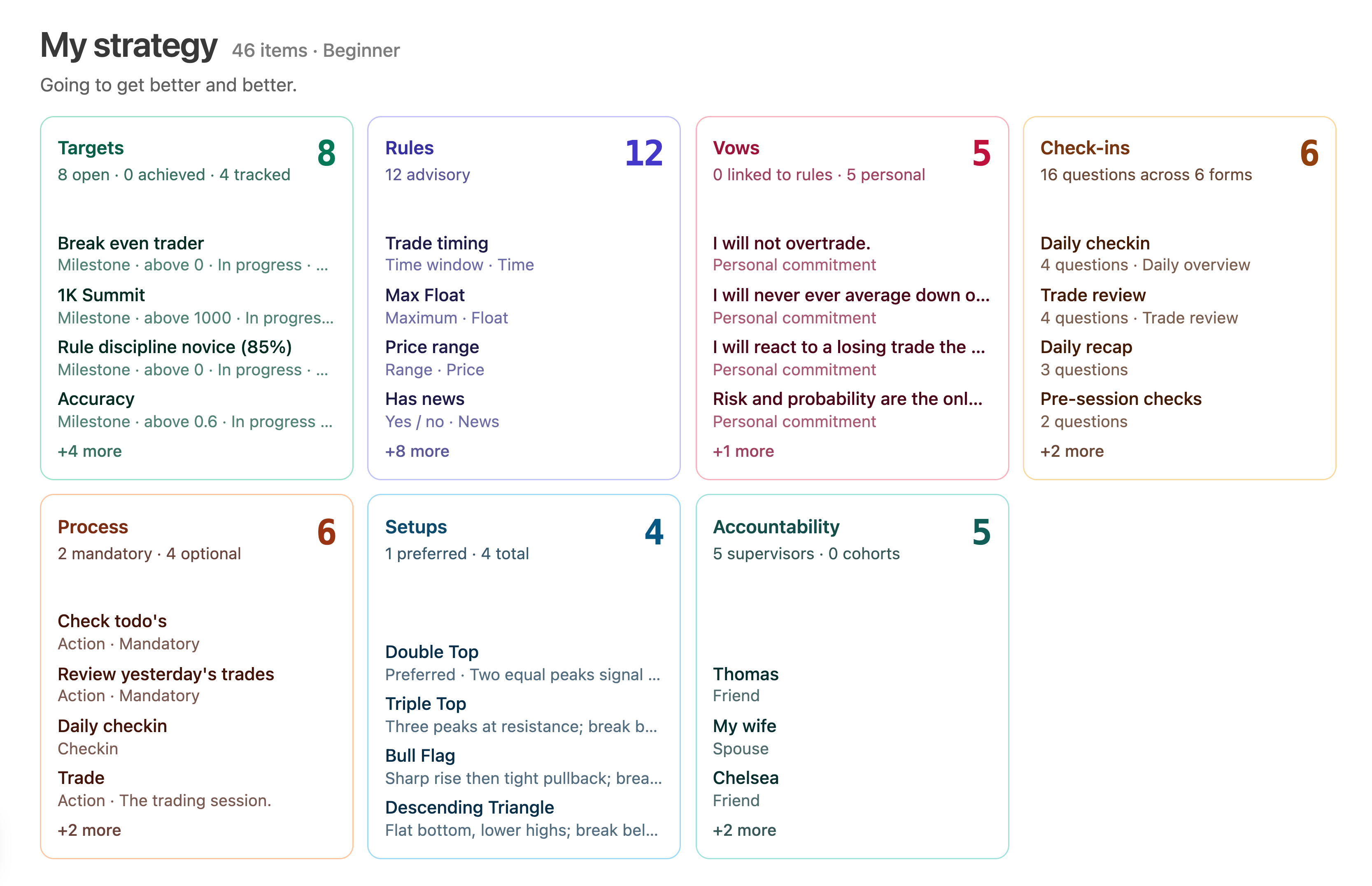
The building blocks
A complete strategy is made of these parts. Each has its own tab in the editor and its own topic in this chapter.
| Part | What it is | Where it shows up later |
|---|---|---|
| Properties | Name, description, experience level, risk display, checklist categories | Everywhere the strategy is named or scored |
| Targets | Measurable goals with a direction and a value | Dashboards, accountability, improvement plans |
| Rules | Conditions tied to metrics, with weights | Rigor checklist, case builder, discipline score, rule verdicts |
| Vows | Personal promises, optionally bound to a rule | Rigor banner, vow confirmation, check-in questions |
| Check-ins | Reusable question forms with a usage role | Rigor buttons, trade capture, pass, trade review, daily overview |
| Setups | Patterns you deliberately trade, with example candles | Rigor setup selection, review, check-in questions |
| Process | The ordered script for your day | Process overlay, sidebar step navigation, completion calendar |
| Subroutine | The in-session flow inside Rigor | Rigor subroutine panel |
| Accountability | Pledge, partners, and cohort groups | Sharing, review board, accountability reports |
| Plans | Improvement plans, usually created by a deep review | Strategy overview, review letter |
You do not need all of them. You do need Properties and at least a few Rules before the rest of the product has anything to work with.
How the parts connect
The parts are not independent lists. They reference each other, and knowing the wiring saves a lot of confusion later.
- A rule points at a metric and, if you set Include in Checklist, at a checklist category. That is what makes it appear in Rigor.
- A target points at a metric too, unless you mark it untracked, in which case it is a reminder you tick by hand.
- A vow can point at a rule, which lets a Vow Sayer check-in question list your vows.
- A check-in can contain a Setup question, which reads your setups, and a Vow Sayer question, which reads your vows.
- A process step of type Check-in points at one check-in. A process step of type Action can point at one or more view states so the step opens the right screen.
- A subroutine node can point at checklist items (from rules) and at check-ins.
- An accountability partner owns a Share ID. A cohort group is a named bundle of Share IDs.
- An improvement plan can point at a target as its outcome.
Only one check-in at a time can hold each of the special usage roles: trade capture, pass, trade review, and daily overview. Assigning a role to a new check-in takes it away from the old one.